How to Add Instagram Content
The process for displaying Instagram content directly in the schedule is simple. The idea is to prepare the URL, register the content agency, and add the channel correctly in Neonews Studio.
Prepare the URL
First, copy the URL of the Instagram page or profile that will be used.
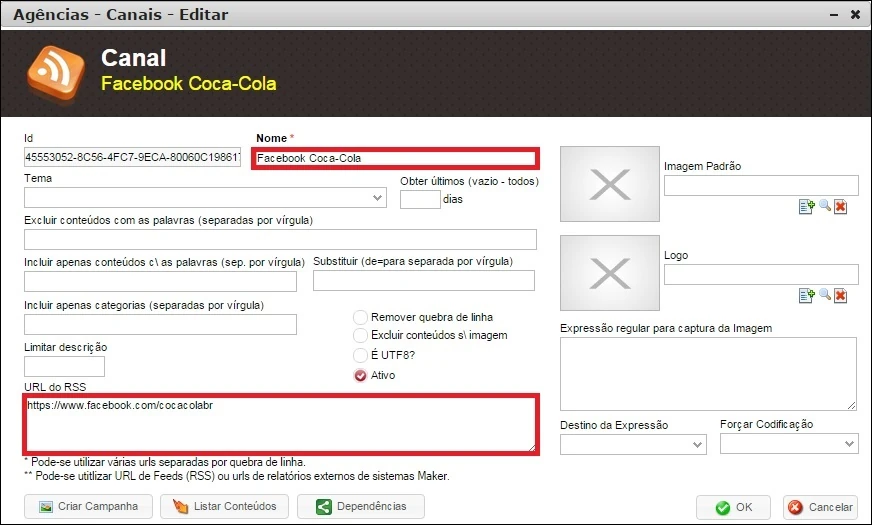
Then adjust the URL to the format accepted by the system. If there are uppercase letters, use lowercase only.
Create the content agency
In Neonews Studio, go to:
Content > External Content > Content Agencies
Create a new external content agency, for example, Instagram.
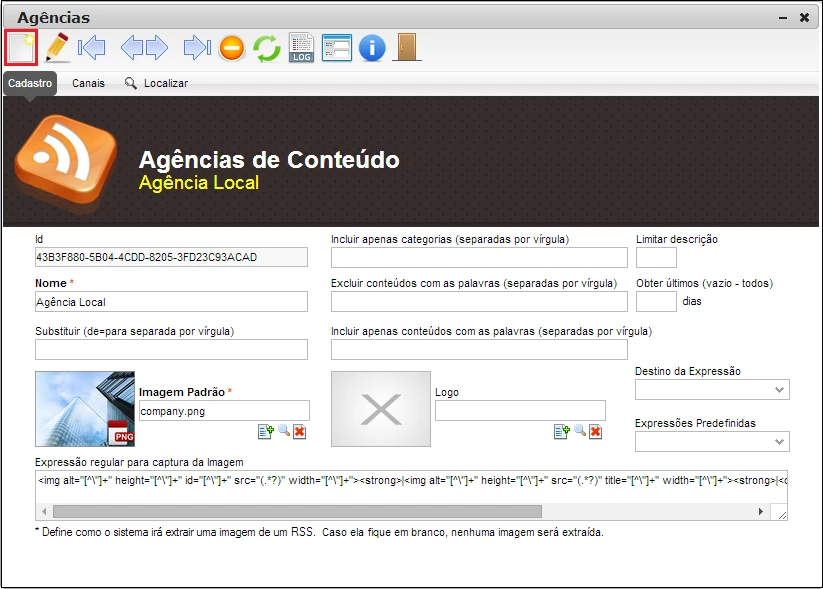
When creating the agency, fill in the required fields:
- Name
- Default image
Then click SAVE.
Add the channel
After saving the agency, click the Channels tab and select Add Channel.
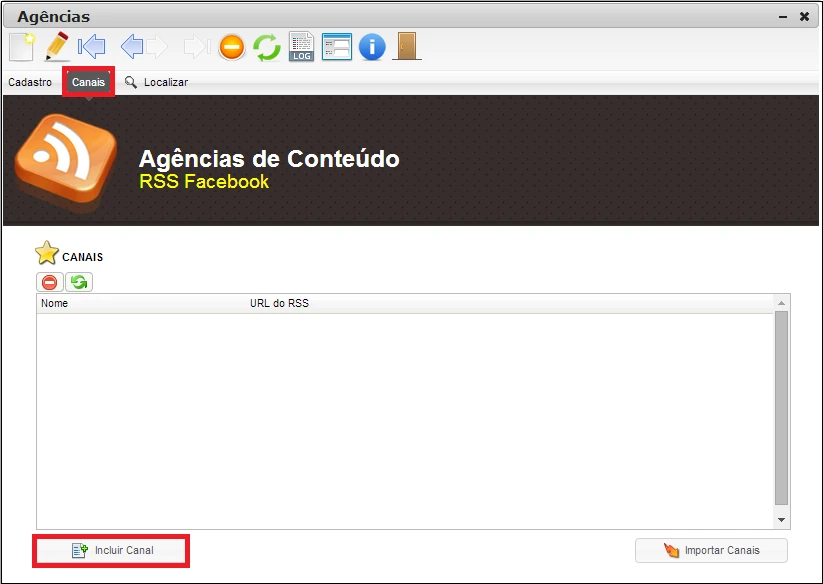
On the channel creation screen:
- Define a name for the channel.
- Paste the adjusted Instagram URL into the RSS URL field.
You can also use parameters to customize the listing, when applicable.
Create the campaign
After registering the Instagram channel, create a campaign of type Social Media and select the configured channel.
Remember that the channel will be available inside the created agency.
For this campaign, use:
- Duration:
-1 - Template: the social media template recommended for this type of content
Note
- There is no need to define a regular expression to capture images from Instagram posts. The system does that automatically.